
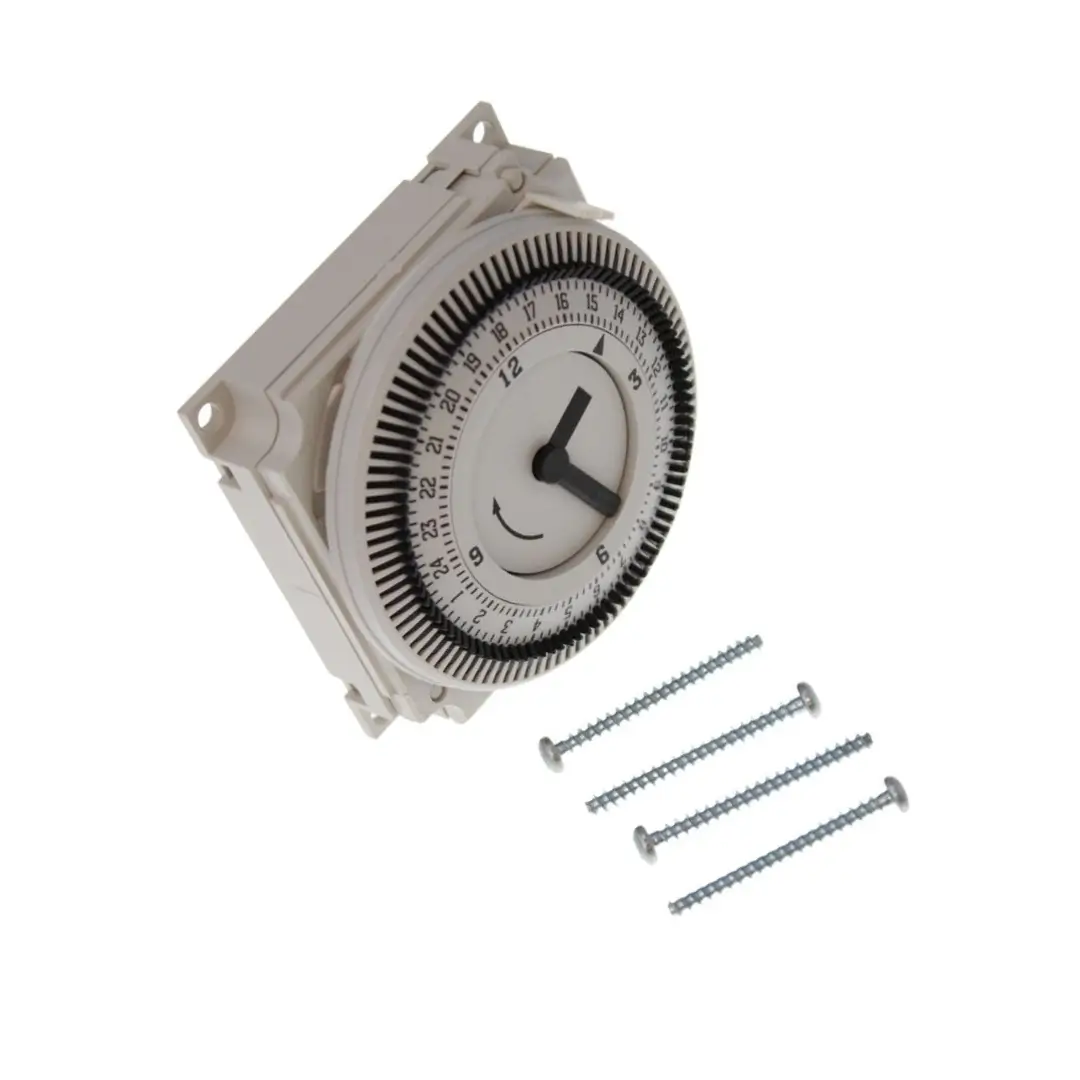
Glowworm Boiler Clock Timer 0020117131
This glowworm clock timer controls when your boiler runs heating, helping you set on/off periods and save energy. However, if the timer fails you may get heating not coming on, heating stuck on, incorrect switching, or inconsistent schedules. Therefore, replacing the correct Glowworm Clock timer 0020117131 restores reliable timed control and smooth daily operation. Installation should be carried out by a qualified engineer.
Compatibility :
- Betacom 2: 24, 28
- Betacom: 24A, 28A
- Betacom 3: 24C, 30C
- Betacom 4: 24C, 30C
- Easicom 2: 24C, 28C
- Easicom: 24, 28
- Easicom 3: 24C, 28C
- Essential: 24c, 24c P, 28c
- Ultimate: 30 C, 35 C
Important fitting advice
We recommend that all parts are fitted by a fully qualified Gas Safe registered engineer. If you need help confirming the right part, contact us our team has 10+ years of boiler spares knowledge and friendly chat support to help you quickly.
Delivery
At Boiler Spares Hub, we dispatch orders within 1 working day (Monday-Friday). Orders placed outside working days will be dispatched on the next working day. For delivery options available for this product, please add it to your basket or check our delivery options page.
Returns
We accept 30-day returns. Returns must be in an unopened, sealed box. If we find the item has been used or installation was attempted, we may refuse the return.
Frequently Asked Questions (FAQs)
1. Why is my boiler not responding to the timer?
If your boiler timer isn’t working, the first thing you should do is check if there is a power supply issue causing the problem. Ensure that the electrical connection to your boiler timer is secure and that there hasn’t been a power cut or any other electrical problem in your area recently.
2. Why has my timer stopped working?
Check The Power Supply:Confirm that the timer gets enough power. Replace weak batteries and check for tripped circuit breaker or blown fuses in electric timers. Adjust The Yellow Clock Wheel:Make sure the yellow clock wheel is in the correct position. Misalignment can cause erratic performance.25 Dec 2024
3. What are the common faults for a timer switch?
Stuck Trippers/Pins: Dirt, debris, or damage preventing pins/trippers on analog dials from activating the internal switch. Faulty Internal Switch: The relay or physical switch contacts wear out, arc, or fuse together. Button/Control Failure: Wear, dirt, or moisture damage on digital controls.
4. Why is my clock displaying the wrong time?
And while it might sound confusing, it often boils down to your device’s date and time settings being incorrect and unsynchronised. Some other things that could cause the clock ahead/behind error include an incorrect time zone, an insecure website, or even your browser’s cache causing trouble.
5. Why is my clock not clocking?
The most common reason wall clocks stop working is simple: the battery is dead or running low, making battery replacement the first thing to check. As battery power weakens, the clock may start losing time, moving slowly, or stopping completely without warning.
Reviews
There are no reviews yet.